Notification System
The following notification triggers are available to be used with the WHMCS Notification System:
- billboost.invoice.created
- billboost.invoice.reminder
- billboost.invoice.overdue1
- billboost.invoice.overdue2
- billboost.invoice.overdue3
- billboost.invoice.latefee
You can set up any number of notification rules based on these triggers.
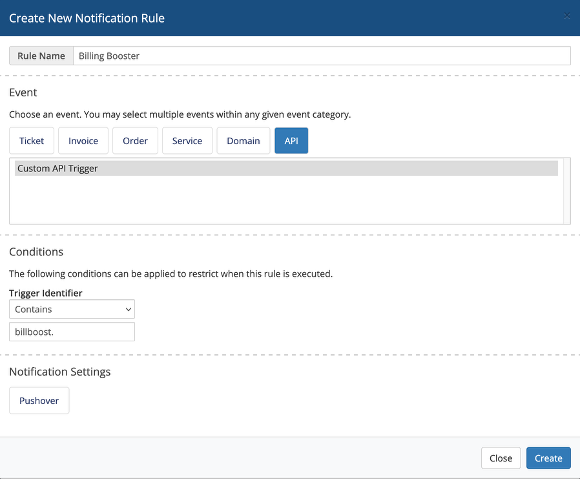
- In the WHMCS Admin Area, go to System Settings > Notifications.
- Click on "Create New Notification Rule".
- Select the "API" tab.
- Select "Custom API Trigger".
- In "Trigger Identifier" choose "Exact match" if you want to address a specific trigger, or "Contains" if you want your notification to be triggered on different triggers.
- In the second field, insert the trigger. For example "billboost.invoice.created" for an exact match, or "billboost.invoice." for all slip related notifications, or even "billboost." for all notifications.
- Choose your notification provider and configure accordingly.
info
Btw, did you know that we also provide a Notification Provider addon for Pushover? 😉 See https://bluerabbit.solutions/product/whmcs-pushover-notifications/ if you are interested.