Account configuration
- Log in to your account at payrexx.com or zahls.ch
- Navigate to
Integrations > API & Plugins - Click on
Add API Key - Give it a name, for example WHMCS, and click
Add - The key is now created. Click
Copyto copy the key and keep it for later, as it is needed for configuring WHMCS. - Open the Webhooks page
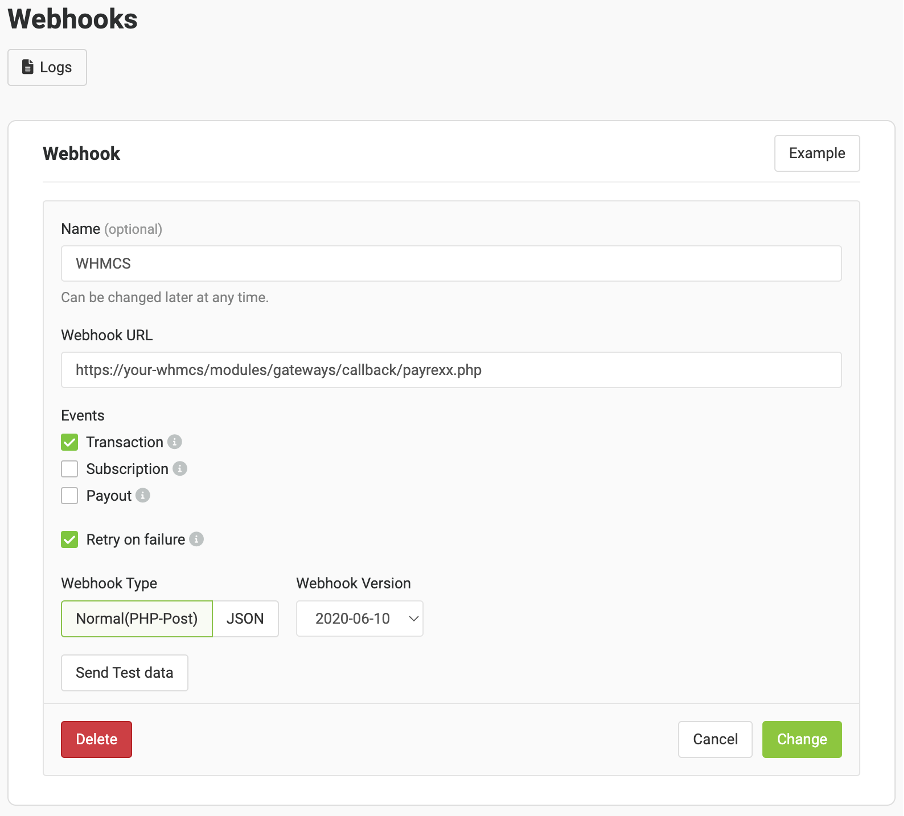
- Click on
Create Webhook - Fill it out like so: