Installation
Copy the following directories:
modules/
to your whmcs root directory.
Upgrade from v1.x
Upload the module to your WHMCS installation, overwriting existing files.
Upgrade Datatrans account configuration
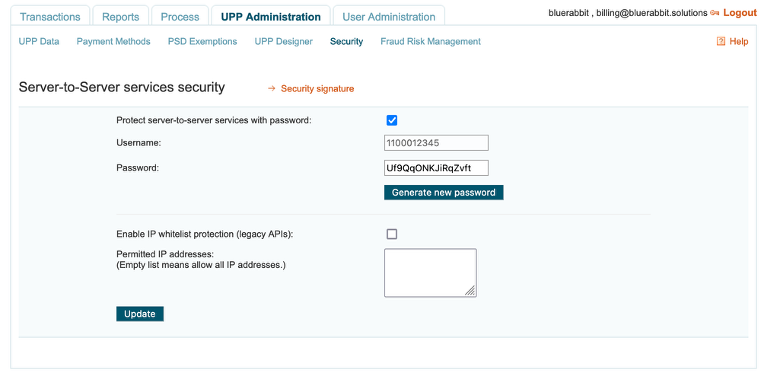
- Log into your Datatrans account
- Open the
UPP Administrationtab - Then open the
Securitytab - Generate a password and copy it for the next step
- Click on
Security signature - Make sure that the
sign2checkbox gets unchecked
Upgrade WHMCS configuration
- Go to the payment gateways configuration in the WHMCS Admin Area.
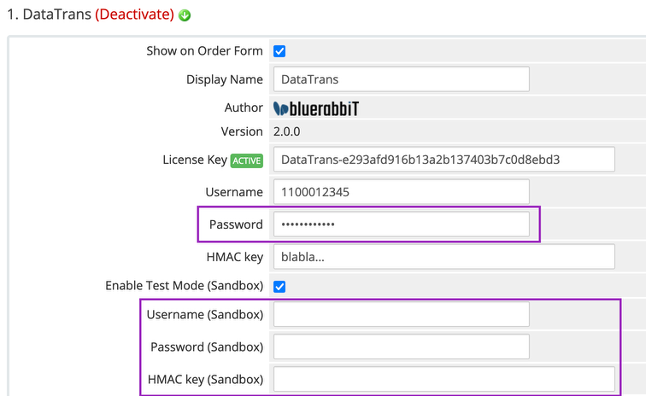
- Set the password (new field) This is the password you set in the previous step
- In case you are using Sandbox mode, the credentials must be reentered as they are now separate from Production credentials.