Account configuration
Step 1: Login
Login to your Datatrans Merchant panel
Step 2: Administration
Open the UPP Administration tab
Step 3: UPP data
On the UPP data page, make sure you configure the following:
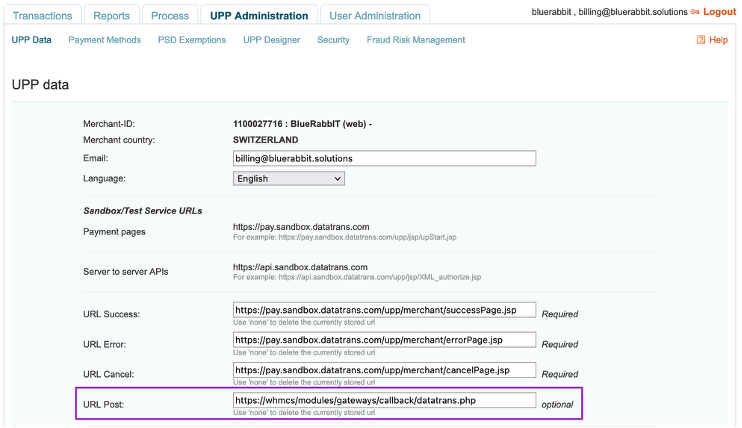
URL Post
https://<your-whmcs-installation>/modules/gateways/callback/datatrans.php
note
Please note that http is not supported. You need https with a valid certificate.
Step 4: Security
On the Security page, make sure you configure the following:
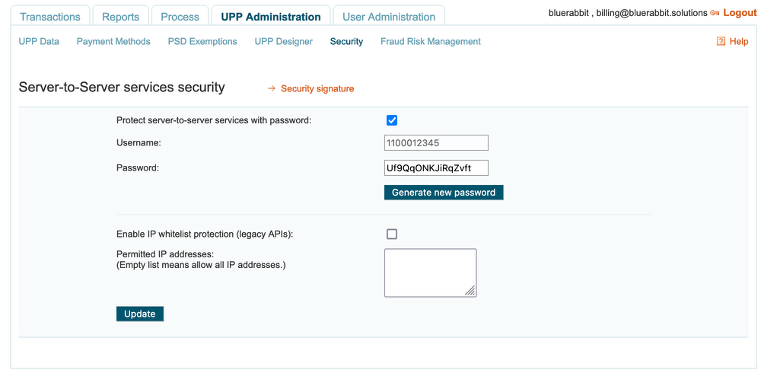
Username
Note this username as you will need to specify this in the module configuration
Password
Note this password as you will need to specify this in the module configuration
Step 5: Security Signature
Click on Security Signature
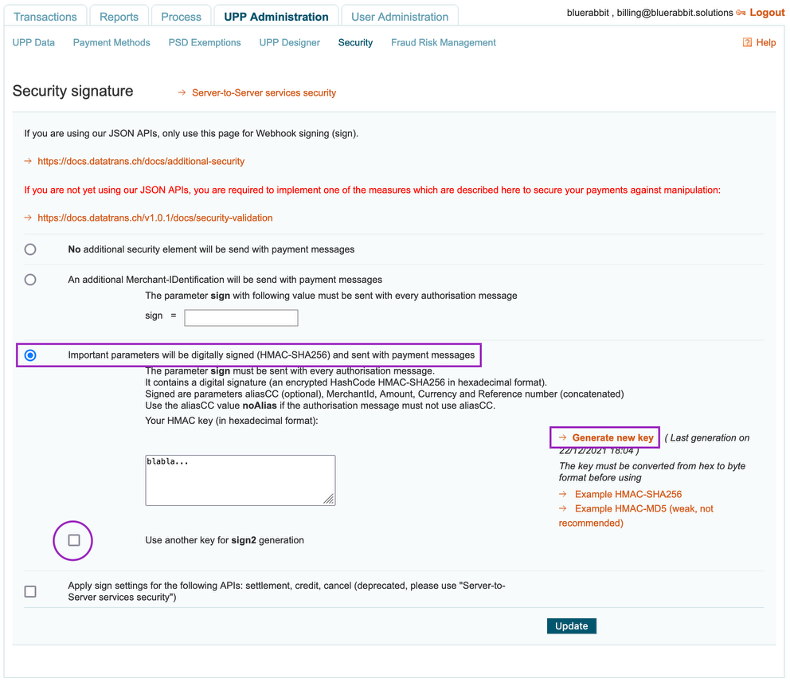
- Select Important parameters will be digitally signed (HMAC-SHA256)
- Generate a key and note this as you will need to specify it in the module configuration
- Make sure that the sign2 checkbox is unchecked