Divider
A single straight line — horizontal or vertical. The plain way to separate sections of a document without borrowing a table style or drawing a one-pixel Rectangle.
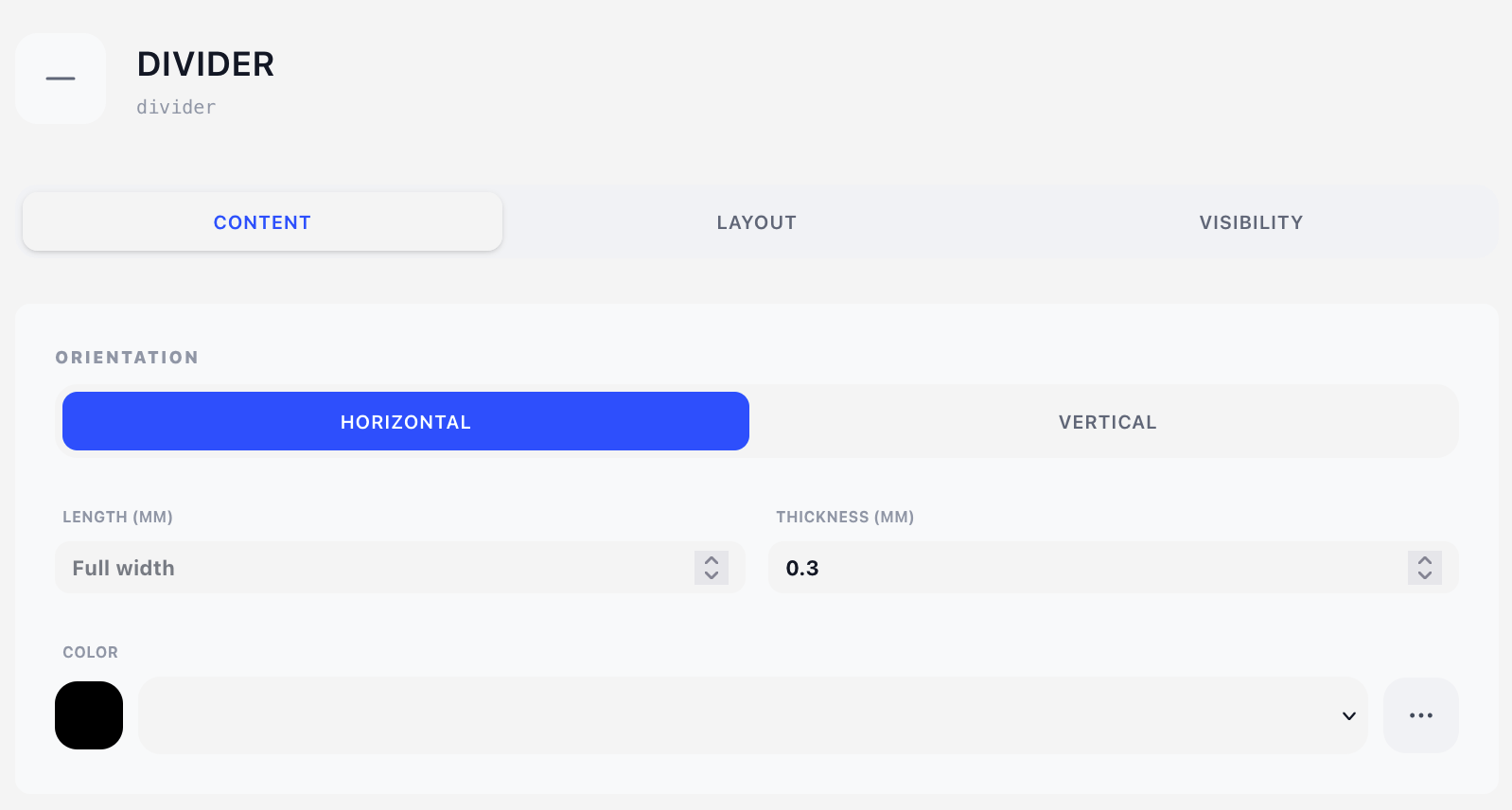
Style tab
Everything the line is — how long, how thick, which way, what colour — sits here.
Orientation
- Horizontal — drawn left to right from the current position.
- Vertical — drawn downward from the current position.
Length (mm)
How far the line runs. Leave the field empty for the default, which the placeholder tells you:
- Horizontal → Full width — runs to the right margin.
- Vertical → Full height — runs to the bottom margin.
Thickness (mm)
Line width. Default 0.3 mm — roughly a hairline at print size. Values below about 0.1 mm may disappear on some printers.
Color
A colour from the design's colour palette.
Layout tab
- Overlay — Position (X/Y in mm) is where the line starts. See Concepts → Positioning.
- Content — Offset (X/Y nudges from the natural flow position).
There is no Width field here: a divider's extent is its Length, set on the Style tab. An overlay divider does show the Width mode buttons, and they decide where a divider with no Length stops — Edge to edge runs it to the paper's edge, Full width stops it at the page's right content margin.
How a divider affects the flow
As a content component, a divider moves the cursor past what it drew:
- A horizontal divider advances by its thickness, so the next component sits directly under the line. Add a Spacer after it if you want breathing room.
- A vertical divider advances by its full length, which means the next component starts below the end of the line. That is rarely what you want in the flow — vertical dividers are usually better as overlays, or inside a Columns container.
Visibility tab
See Concepts → Visibility & conditions.
Tips
- Spacer → Divider → Spacer is the standard section separator: consistent air above and below, and the spacers are easy to tune.
- For a full-bleed rule that ignores the margins, use an overlay divider with an explicit X and Length instead of a content one.
- A vertical divider as an overlay is a neat way to draw a margin rule down the whole page — set Orientation to vertical, leave Length empty, and give it a light palette colour.