2D Barcode / QR
A QR code whose contents you compose yourself with Twig. Unlike Payment Code, which renders a standardised payment QR maintained by Billing Booster, this component encodes whatever text you give it — a link to the invoice in the client area, a reference number, a vCard, a plain URL.
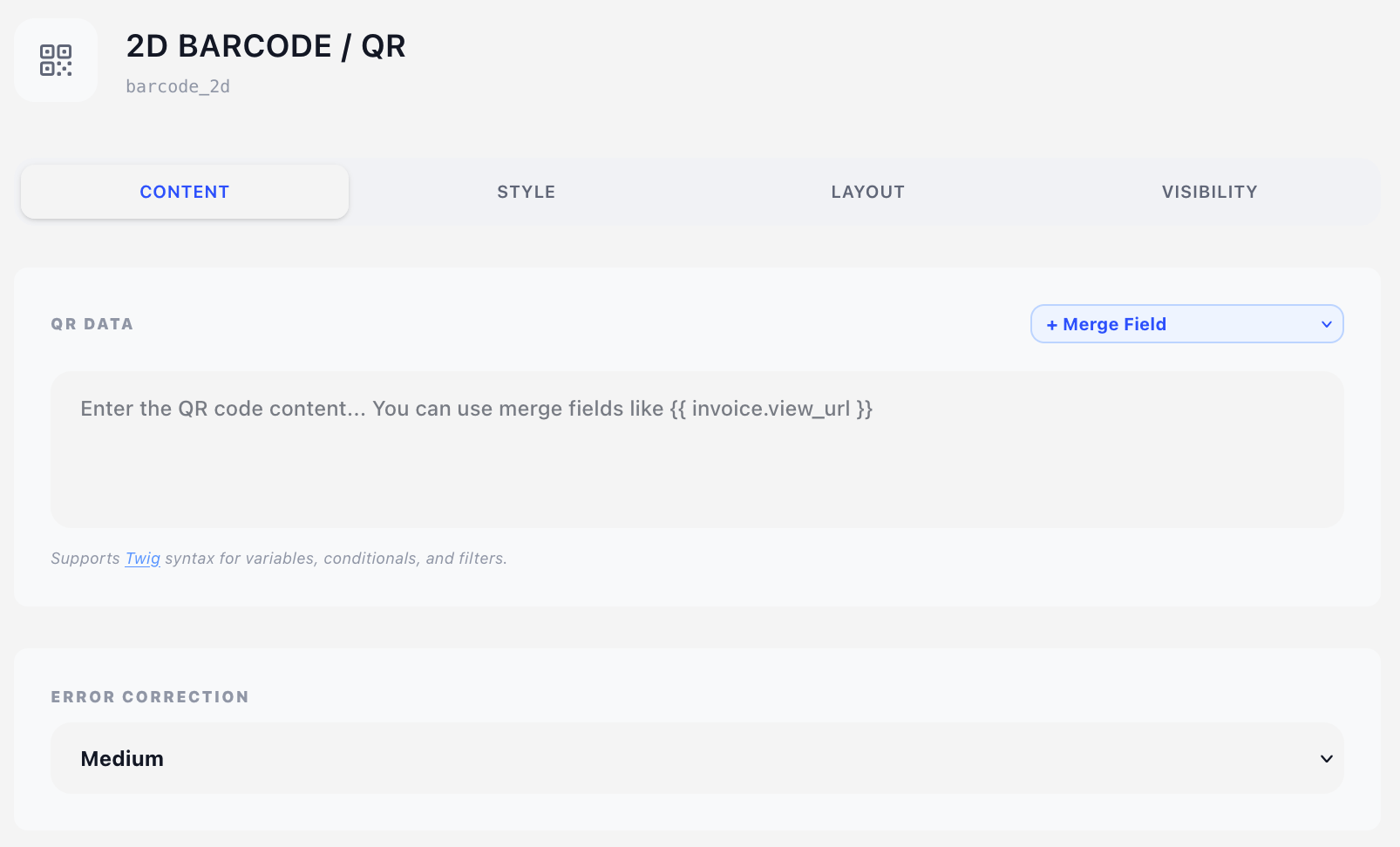
Content tab
QR Data
A free-text area holding the content to encode. It is passed through the Twig template engine first, so merge fields, conditionals and filters all work:
{{ invoice.view_url }}
Invoice {{ invoice.num }} — {{ invoice.total }} due {{ invoice.date_due }}
The + Merge Field dropdown above the box inserts the correct syntax at the cursor.
QR density grows with content length. A URL scans reliably at 25–30 mm; a paragraph of text at the same size will not. If the code needs to be small, encode a short URL rather than the data itself.
Error Correction
How much redundancy the symbol carries, so it still scans when partially obscured or printed poorly:
| Level | Recovers from | Use when |
|---|---|---|
| Low | ~7% damage | Clean digital PDFs, maximum data density |
| Medium (default) | ~15% damage | The sensible default for printed invoices |
| Quartile | ~25% damage | The code sits over stationery artwork or may be stamped |
| High | ~30% damage | Poor print quality, or you overlay a logo on the code |
Higher correction means a denser symbol for the same content, so it needs more physical size.
Style tab
Color
A colour from the design's colour palette. Dark on light is what scanners expect; inverting it will break most readers.
Layout tab
- Overlay — Position (X/Y in mm) plus Width. See Concepts → Positioning.
- Content — Offset (X/Y nudges from the natural flow position) plus Width.
The symbol is square, so Width is its whole size — there is no separate height. Default 30 mm; below about 20 mm, scanning gets unreliable with anything longer than a short URL. Because that width is the drawn size rather than a box the content flows in, the overlay width modes do not apply to it.
Visibility tab
See Concepts → Visibility & conditions.
Tips
- Leave a white quiet zone of about 4 modules (roughly 10% of the code's size) around the symbol. Don't butt it up against a border or a stationery graphic.
{{ invoice.view_url }}gives the client a one-scan route to paying online — pair it with a short Text caption like "Scan to view and pay".- For an actual payment QR (Swiss QR-bill, EPC/SEPA, SPD, HUB3), use Payment Code instead — those follow strict standards that this component does not enforce.