Translations
The Translations tab lets you override every text string that BestPDF prints on a PDF, and add your own custom strings for use in your designs. It is independent of Blesta's own language files — what you change here only affects PDFs produced by BestPDF.
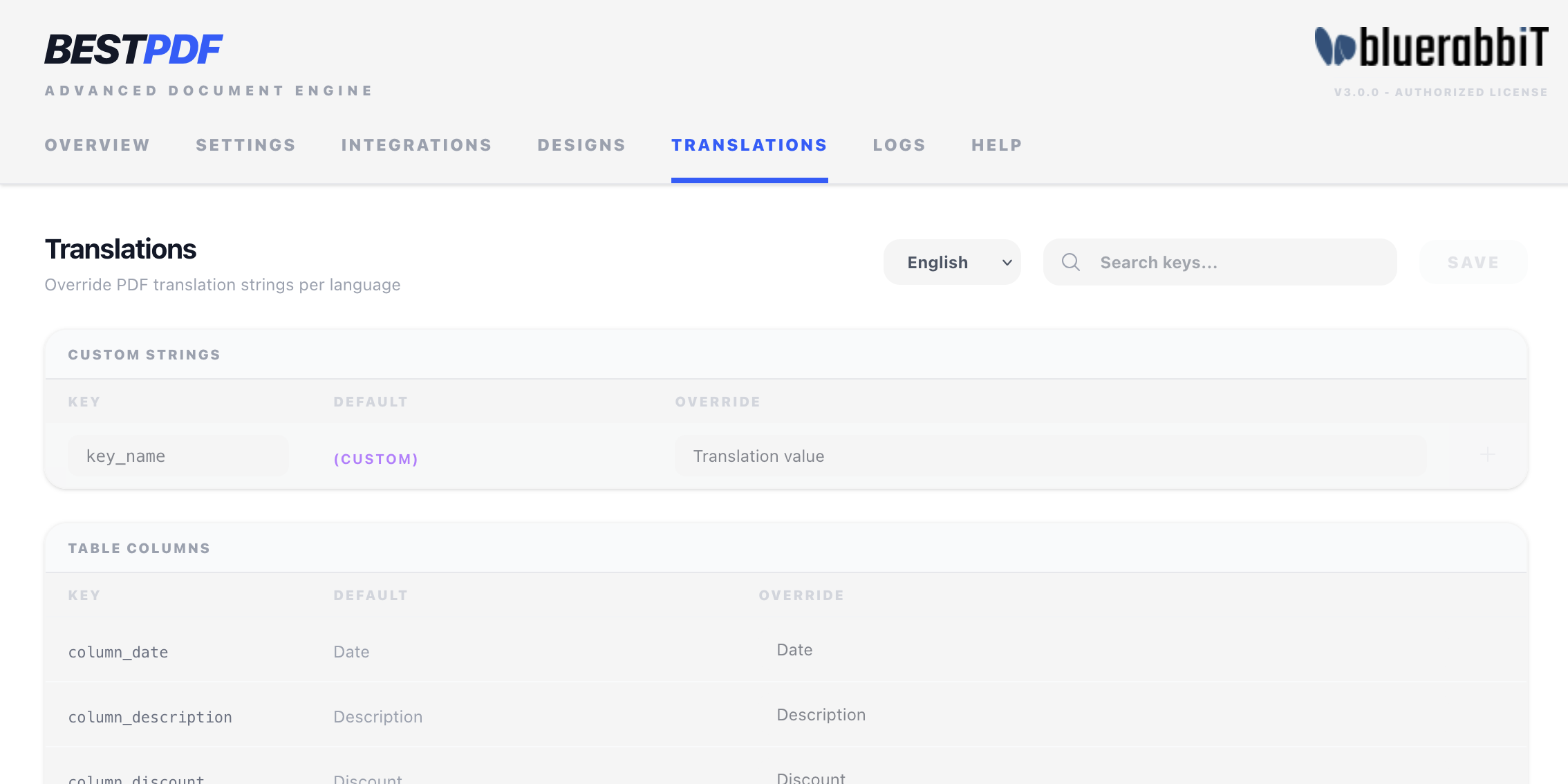
Languages
The language selector in the top-right lists every language BestPDF ships with (currently English, French, German, and Italian). Pick a language and the table below shows that language's strings.
When BestPDF renders an invoice or quote, it picks the language based on the client's configured language in Blesta. If BestPDF doesn't ship a file for that language, the whole string table falls back to English.
Fallback is per language file, not per key. Once a language file is loaded, any missing key in that file renders as empty — it is not filled in from English. In practice this only matters for custom strings, since all four shipped languages have identical built-in coverage.
Built-in strings
Built-in strings are grouped by purpose:
- Table Columns — column headers used by Invoice Items, Quote Items, and Transactions tables (
column_description,column_quantity, etc.). These ship abbreviated where the heading is much wider than its column —column_quantityis "Qty" in English, "Qté" in French, "Qtà" in Italian — so override it here if you would rather print the word in full. - Summary — labels in the totals block (
summary_subtotal,summary_total, etc.). - Invoice Status — the label printed by the Invoice Status component (
status_paid,status_unpaid, etc.). - Details Box — labels for the fields in the Details Box component (
invoice_number,date_due, etc.). - Page & Misc — odds and ends like the page number prefix, the "no transactions yet" message, the EU reverse charge notice (
reversecharge), the notes heading (notes_title), the payment code heading (payment_code_title), and the address box's "Attn: " prefix (address_attn). - Overdue Notices / Overdue Messages — strings used by the overdue functionality from the Billing Booster integration.
- Tax Overrides — per-tax-rule label overrides.
The Details Box group carries a matched pair of keys for every document-type-aware field — invoice_number / quote_number, invoice_id / quote_id, date_due / quote_valid_until — so invoice and quote designs can word the same row differently.
For each row you see the key (the identifier the code uses), the default value (the built-in English text, shown grey for reference), and an override input. Type your override and click Save; an empty override falls back to the default.
Use the search box to filter by key, default text, or current override. Useful when you remember the wording but not the key.
Custom strings
The Custom Strings group at the top lets you define your own keys. Use this for things like a footer disclaimer, payment terms, a thank-you message, or any piece of text you want to keep editable per language without hard-coding it into a Text component.
To add one:
- Type a key name in the bottom row (letters, digits, underscores, dots — e.g.
footer_disclaimerorterms.payment). - Enter the value for the currently selected language.
- Press Enter or click the + button.
- Save.
Custom strings then appear in any Text or HTML Text component as lang.<key> in the green "+ Translation" dropdown, alongside the built-in strings. See Concepts → Merge fields & Twig for how to use them.
Where translated strings can be used
Beyond text components, translation keys are accepted in a few places where the wording has to follow the client's language:
- Address Box separators — type
{address_attn}(or any key) into a text entry between fields, and it resolves per language. See Address Box → Translated separators. - Component text —
{{ lang.<key> }}anywhere Twig runs.
Reaching Blesta's own strings
The same dropdown has a System Translations entry offering syslang.xyz. Replace xyz with any key from Blesta's own language files and the string is resolved in the client's language at render time — an escape hatch for wording you'd otherwise have to duplicate here. It is read-only: syslang values are edited in Blesta, not on this tab.
Custom strings are per language. If you add lang.footer_disclaimer in English but not in French, German, and Italian, non-English PDFs will render that spot as empty — not as the key name and not falling back to the English value. Add the same key to every language you support.
Unsaved changes
Edits are kept in memory until you click Save. A yellow indicator appears in the bottom-right whenever you have unsaved changes. Switching languages while you have unsaved changes will warn you before discarding them.
How overrides are stored
Overrides live in BestPDF's database, not in the PHP language files. This means upgrades will not overwrite your translations, and you do not need filesystem access to edit them.