Designs
A design in BestPDF is a complete PDF layout — the recipe that turns a Blesta invoice or quote into a finished, branded document. You can have as many designs as you want; one of them is active at a time (one for invoices, one for quotes).
Every design is built from five kinds of building blocks, each managed in its own tab in the design editor.
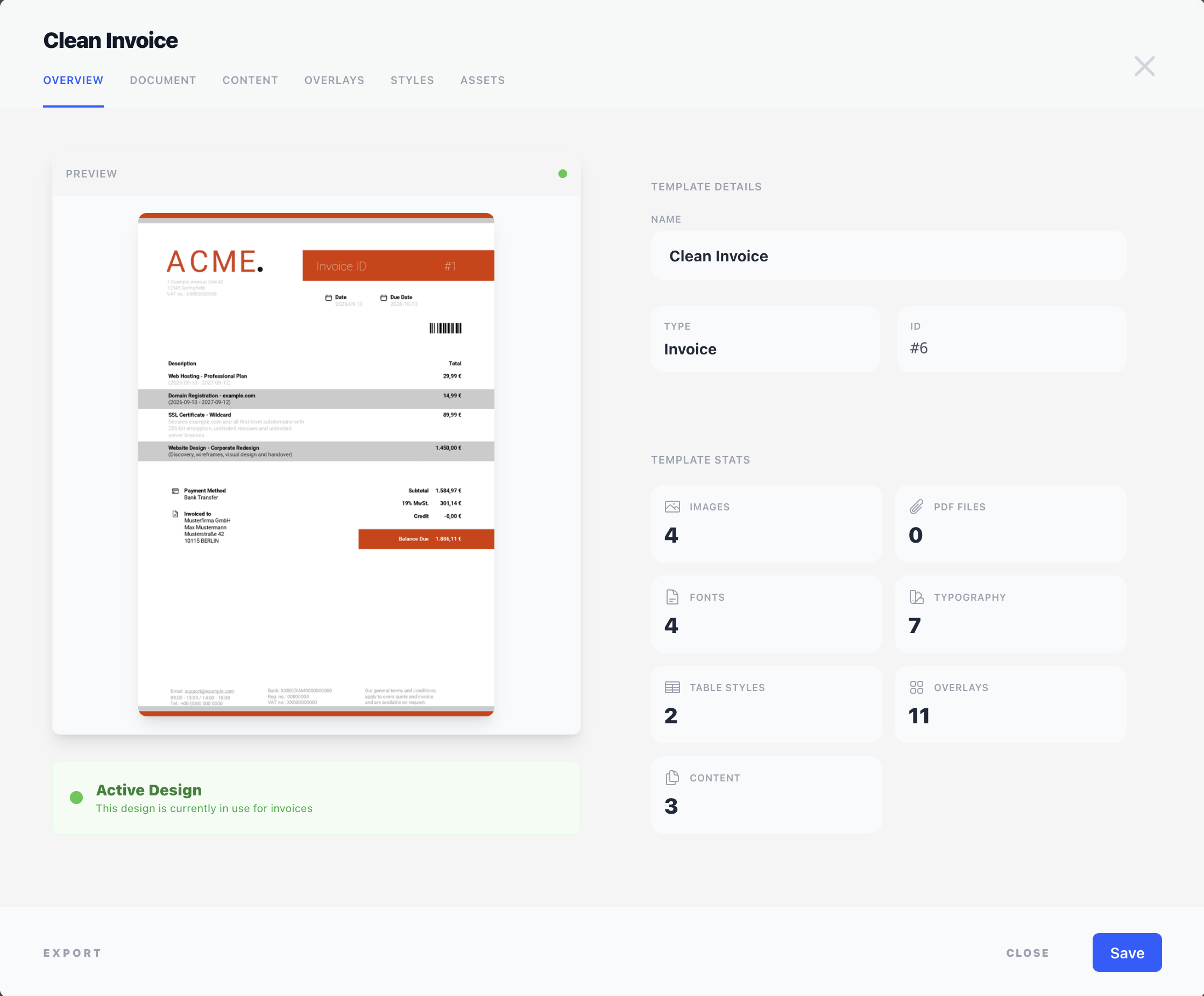
The five building blocks
Document settings
The page-level setup — paper size, orientation, margins, default fonts, and whether stationery (a background PDF) is applied. Document settings affect the whole PDF, not individual elements on it. See Document settings.
Content
The flow of the document — the elements that print one after another from top to bottom and break naturally across pages. The customer address block, the items table, the totals, the notes — these are all content. Content components live inside the page margins and respect them, and can be nudged with an offset or arranged side by side with the Columns component. See Content.
Overlays
Elements that sit on top of (or behind) the content layer, at fixed positions on every page — typically headers, footers, logos, page numbers, watermarks, fold marks. Overlay components have a precise X/Y coordinate in millimetres and can be shown on all pages, only the first page, or only the last page. See Overlays.
Styles
Reusable visual definitions: a named colour palette, typography styles (font, size, weight, colour) and table styles (borders, padding, alternating row treatment, header and footer styling). Instead of setting font + colour on every element, you define each once and reference it from many components. Change the definition and every component using it updates at once. See Styles.
Assets
Files that belong to this design: uploaded images (logos, signatures, stationery), custom fonts (for brand typography), and PDF documents (one-off pages or full stationery that you can stamp into the output). Components that need a file (Image, PDF Document, fonts in a typography style) pick it from the assets pool. See Assets.
How they fit together
Think of it as four layers, in order:
- Document settings define the page and margins.
- Assets and styles are the building materials — files and visual rules that other things reference.
- Content components fill the page, top to bottom, inside the margins, and use styles and assets.
- Overlay components are stamped on top at fixed positions, also using styles and assets, and can apply to every page or just the first/last.
Overlays are drawn after the content, so they sit on top of it. A filled overlay covers what is underneath — for artwork that belongs behind the content, use stationery instead.
The PDF is then rendered: content flows and paginates, overlays are drawn on each resulting page, and the result is delivered to Blesta as the invoice or quote PDF.
Shared concepts
Several editor settings appear across many components — positioning, visibility/conditions, style selection, and the merge-field / Twig syntax used inside text. Rather than re-explaining them per component, they are documented once in the Concepts section.
In this section
Managing your designs
The Designs tab inside the BestPDF interface is the main entry point for everything design-related — create new templates, edit existing ones, activate the one Blesta should use, and import or export designs as portable bundles.
Document settings
The Document tab covers the page-level setup — margins, font embedding, and stationery. These settings affect the whole PDF, not individual elements on it.
Content
The Content tab is where you build the main body of the document — everything that flows from top to bottom and breaks across pages naturally. The address block, the items table, the totals, the notes — these are all content.
Overlays
The Overlays tab holds elements that sit on top of (or behind) the content layer at fixed positions on the page. Letterhead, logo, address window, page numbers, fold marks, watermark stamps, payment QR codes — anything that needs to land at a specific spot regardless of what the content layer is doing.
Styles
The Styles tab is where you define the visual building blocks that components reuse — colours, typography styles for text, and table styles for tables. Define a style once, point any number of components at it, change it later, and everything updates together.
Assets
The Assets tab is the file library for the design. Anything that lives on disk and gets referenced by a component — logos, signatures, stationery PDFs, custom brand fonts — is uploaded and managed here.