Rectangle
ContentInvoiceQuote
A box: an outline, a filled block of colour, or both. Use it to frame a notice, tint a band behind a section, or put a border around the address window area.
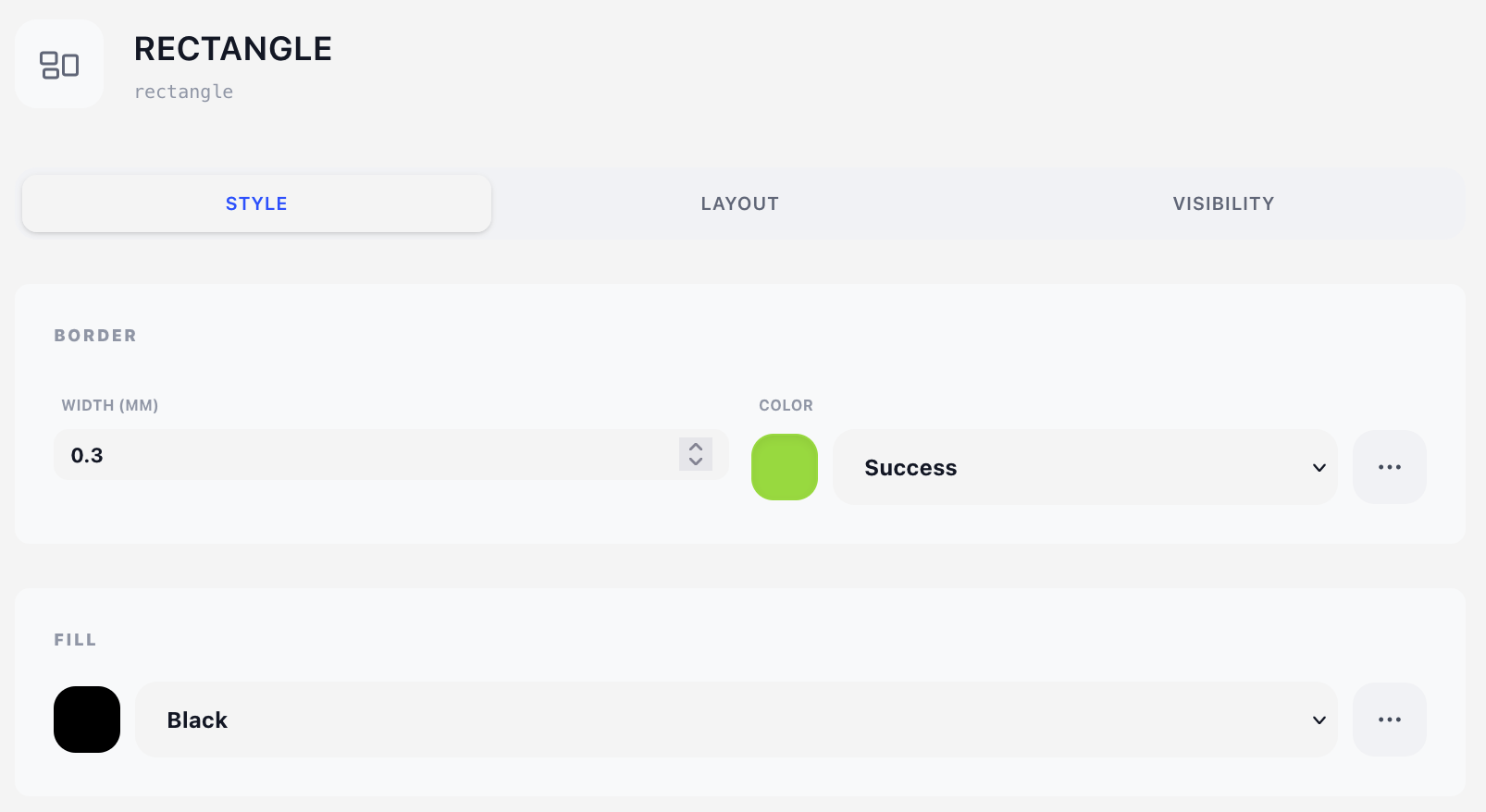
Style tab
Border
- Width (mm) — line thickness. Default 0.3 mm. Set to 0 for no border at all.
- Color — a colour from the design's colour palette.
Fill
A palette colour, or None (no fill) for a transparent box. This is the one place where an empty colour reference means transparent rather than use the default — see Styles → Color palette.
An empty rectangle still takes space
With border width 0 and no fill, nothing is drawn — but as a content component the rectangle still advances the flow by its height, behaving exactly like a Spacer.
Layout tab
Both of the box's dimensions live here, alongside where it sits.
- Overlay — Position (X/Y in mm) plus a Width mode: Edge to edge, Full width or Custom. See Concepts → Positioning. Edge to edge is what gives you a full-bleed band across the sheet; Full width stops the rectangle where the body content stops.
- Content — Offset (X/Y nudges from the natural flow position) plus a plain Width. Leave Width empty to run to the right margin.
- Height (mm) — the box height, in both modes. Default 20 mm. There is no Auto here: a rectangle draws nothing that could give it a height, so it has to be told.
As a content component the rectangle advances the flow by its height, so the next component starts underneath it rather than on top of it.
Visibility tab
See Concepts → Visibility & conditions.
Tips
- Tinted band behind text: overlays are drawn on top of the content layer, so a filled overlay rectangle will cover whatever is underneath it. To tint the background of a content block instead, put the rectangle in the flow first, then give the component that follows it a negative Y offset on its Layout tab to pull it back up over the box. For a tint on every page, bake it into the stationery PDF.
- Reference a palette colour rather than a one-off, so the tint changes everywhere at once when you rebrand.
- A border-only rectangle (fill None) is the cheapest way to frame a notice — no table style needed.