Invoice Status
A coloured badge showing the invoice's current status — PAID, UNPAID, OVERDUE, etc. Typically placed as a first-page overlay in a top corner, though it can also sit in the content flow.
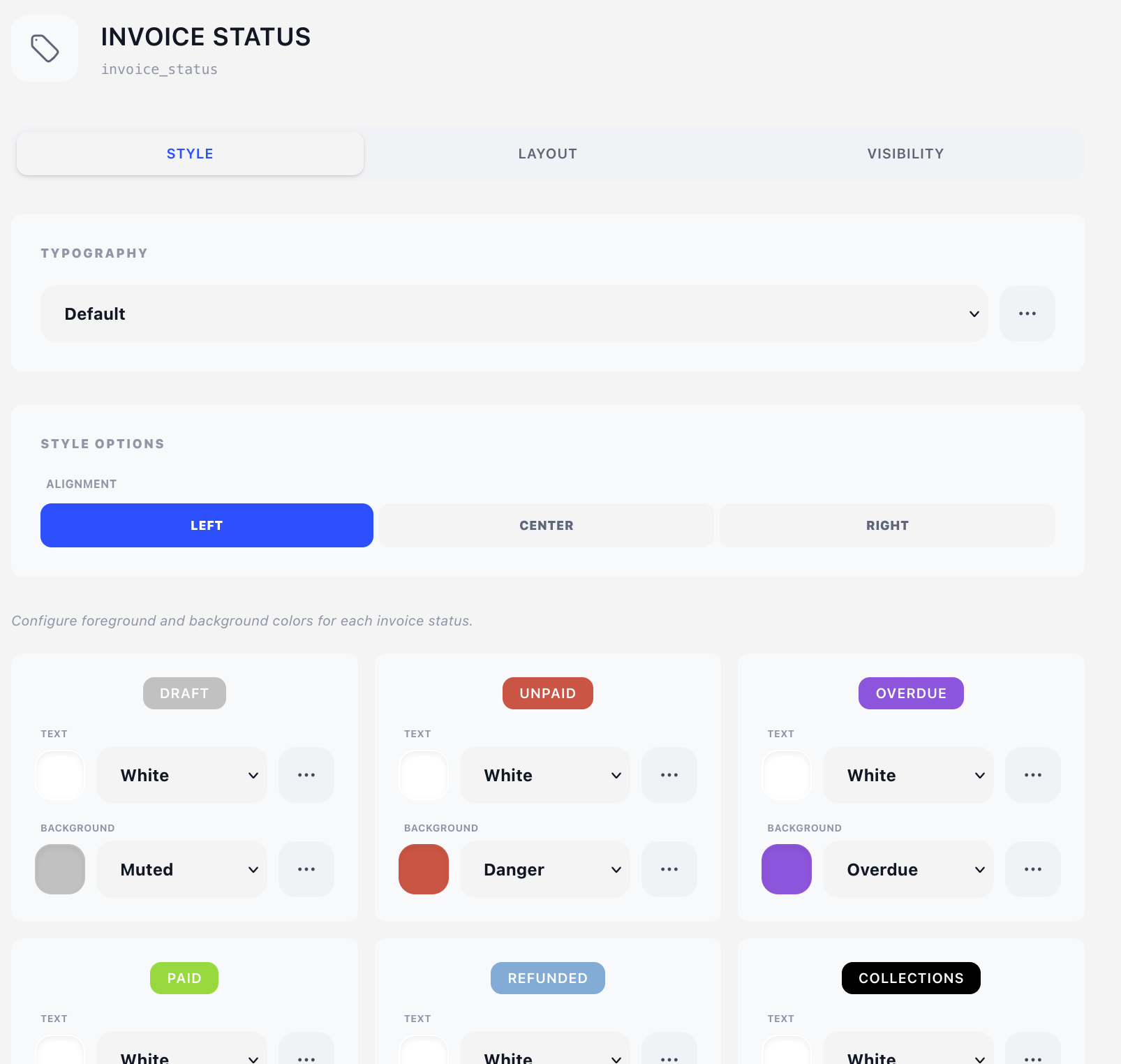
This component is unusual in two ways: it has no Content tab (there is nothing to configure about the text — it's the invoice's status), and the colour configuration is per-status (you set a foreground + background for every possible invoice state).
Style tab
Typography
Standard typography style selector — see Concepts → Styles.
Style options
- Alignment — Left / Center / Right.
The component used to carry its own Normal / UPPERCASE / lowercase setting. It doesn't any more — Letter Case is part of the typography style, which is the one place that decides it for every component. For an upper-cased badge, duplicate your typography style, set its Letter Case to UPPERCASE, and select the copy here.
Per-status colours
A three-column grid where every invoice status has its own pair of colour pickers:
| Status | Default background | Default text |
|---|---|---|
| Draft | Muted | White |
| Unpaid | Danger | White |
| Overdue | Overdue | White |
| Paid | Success | White |
| Refunded | Info | White |
| Collections | Black | White |
| Cancelled | Muted | White |
Both pickers reference the design's colour palette by name — the defaults above are the palette entries every new design is seeded with. Recolour Danger once in the palette and every unpaid badge follows.
The preview chip at the top of each card updates live as you change colours.
At render time, only one of these is actually printed — whichever matches the invoice's current status. The others are stored for when the status changes later.
Layout tab
- Overlay — Position (X/Y in mm) plus a Width mode: Edge to edge, Full width or Custom. See Concepts → Positioning.
- Content — Offset (X/Y nudges from the natural flow position) plus a plain Width.
Visibility tab
See Concepts → Visibility & conditions.
The Display selector defaults to "On all pages" but most designs set it to "On first page only" for the status badge.
Labels and translations
The label text (PAID, UNPAID, etc.) is sourced from the Translations tab under the "Invoice Status" group. Edit those entries to translate or rebrand per language.