1D Barcode
A linear (one-dimensional) barcode generated from a numeric merge field. The usual reason to add one is machine-readable document handling — a scanner in your accounts department or a mail house reading the invoice number straight off the page.
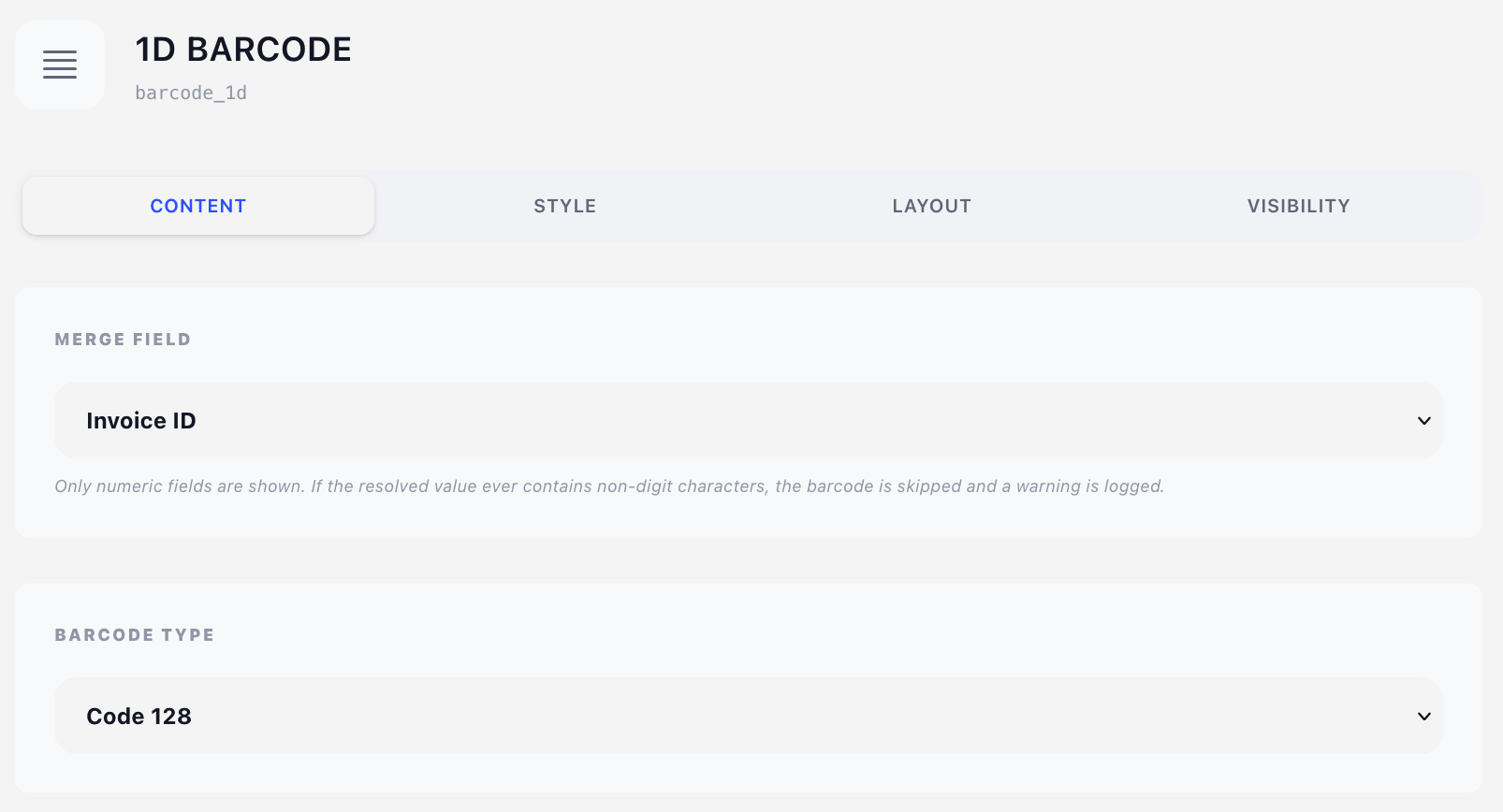
Content tab
Merge Field
Pick the field the barcode encodes. The dropdown deliberately shows only numeric fields — on an invoice design that is Invoice ID, Invoice Number and Client ID; on a quote design, Quote ID, Quote Number and Client ID.
If the resolved value ever contains a non-digit character — a prefixed invoice number like INV-2026-0042, for instance — the barcode is not drawn and a warning is written to the log. Nothing is printed in its place. Use 2D Barcode / QR if you need to encode text.
Barcode Type
| Type | Notes |
|---|---|
| Code 128 (default) | Dense, encodes any digit sequence of any length. The safe default. |
| Code 39 | Widely supported by older scanners, lower density. |
| EAN-13 | Fixed 13 digits (12 + check digit). Retail article numbers. |
| EAN-8 | Fixed 8 digits. |
| UPC-A | Fixed 12 digits. North American retail. |
| Interleaved 2 of 5 | Numeric only, requires an even number of digits. |
| Codabar | Legacy, used in libraries and blood banks. |
The fixed-length types (EAN, UPC, I25) only produce a valid symbol when the value has exactly the right number of digits. If your invoice numbers vary in length, stay on Code 128.
Style tab
Color
A colour from the design's colour palette. Barcodes scan best as pure black on white — only change this if you know your scanner copes.
Layout tab
- Overlay — Position (X/Y in mm) plus Width and Height. See Concepts → Positioning.
- Content — Offset (X/Y nudges from the natural flow position) plus Width and Height. Leave Width empty to take the full content width.
Both dimensions live here, because both are the drawn size of the symbol rather than a box its content flows in. That is also why the barcode keeps plain millimetre fields — the overlay width modes do not apply to it, and there is no Auto height: a barcode has to be told how tall to be.
- Width — the barcode is stretched to fill it, so a value with many digits needs more width to stay scannable.
- Height — bar height. Default 15 mm.
Earlier betas printed the encoded value under the bars. That option is gone: it drew in whatever font happened to be current and printed past the height you had set. Add a Text component with the same merge field instead — it prints the value in the design's own font, size and colour, and you place it exactly where you want it.
Visibility tab
See Concepts → Visibility & conditions.
Tips
- Give the barcode a quiet zone: leave at least 3 mm of empty space on either side of it, and don't place it over stationery artwork.
- 15 mm height with 40–60 mm width is comfortable for a 6–8 digit invoice number in Code 128. Both are set on the Layout tab.
- To encode something that isn't purely numeric — a URL, a reference with letters, a structured payment reference — use 2D Barcode / QR instead.